I'm admittedly challenged when it comes to photograpy, even completely automatic digital photography. It's painfully obvious by some of my earlier posts. I know.
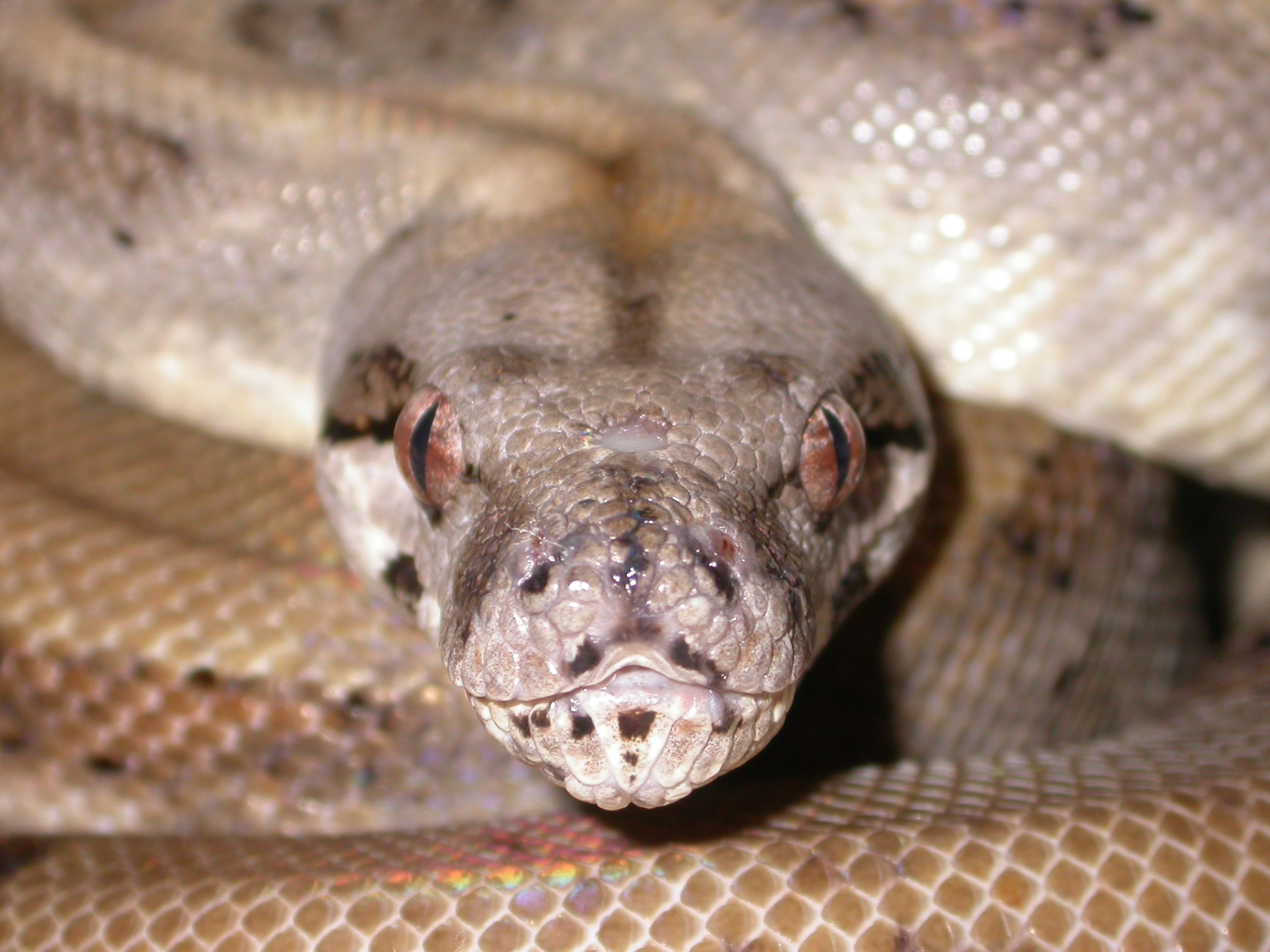
Well anyway, to get to the point -- I've really had a hard time getting close-ups, without completely washing out the subject with the flash. So, what I've done is place a piece of masking tape over the flash to mute it somewhat. I'm getting a much truer photo, colorwise, when I put the tape on for close-ups.
You can see the difference in the 2 photos I've just posted. Thanks for letting me share.
jsc
Reptile & Amphibian Forums
Welcome to kingsnake.com's message board system. Here you may share and discuss information with others about your favorite reptile and amphibian related topics such as care and feeding, caging requirements, permits and licenses, and more. Launched in 1997, the kingsnake.com message board system is one of the oldest and largest systems on the internet.



Photograpy -- previous post
jscrick
Nov 08, 2007 06:13 PM
Replies (8)
RoswellBoa
Nov 08, 2007 07:35 PM
Thanks for this great tip...I am going to try it tonight...
I have had the frustration of pics with flash being washed out if I am too close to the snake...I sure hope this will work for me too...
-----
Heather Martin
---------------------------
JaredHorenstein
Nov 08, 2007 10:22 PM
I am a semi-pro photographer.....been at it for about 20+ years but just recently started selling my work.......and after reading this I wanted to give a few pointers...I have seen both your shots and think i knwo one of the things your doing incorrectly..
When you try for close ups.........the cameras can only focus so close...usually about 10 + inches from the subject........and when you get that close the flash does overexpose the pic as you have already noticed.
Try moving the camera back from the subject and use the zoom to get your close-up. This will a lot of the time help soften the flash some and you will also get nice clear and sharp pics....if you still have a blurry image.....this could be due to camera shake.....you need to have still hands and an inexpensive tripod will also help steady the shot.....you can also set your cameras self-timer to completely avoid camera shake when you depress the shutter button.
Here is a sample pic taken with an 8 year old Nikon Coolpix point & shoot digi cam mounted on a tri pod with the timer engaged. It is still a tad bit over-exposed but you get the idea.....
Jared Horenstein

-----
~ ASK ME ABOUT MY BALLS ~
jscrick
Nov 08, 2007 10:46 PM
Yes, a macro shot from a greater distance was my first try at reducing the flash. The pictures do become blurry when I edit/reduce, to post them. It could be shake. I may need a new method to edit/reduce them. I can take macro shots as clear, with as close a subject perspective as your photo, but the files are just too huge to post.
I'm also aware of the minimal distance focal point for my camera and don't depress the shutter release until the camera notifies me it is in focus.
As far as a tripod goes, my photos are rather spontanious at this point. Just see something I like and try to capture the essence as I'm going through the tubs. If I decide to do some studio work in the future, I'll be sure and drag the tripod out.
Thanks for your input.
jsc
JaredHorenstein
Nov 09, 2007 02:03 AM
Look into www.imageevent.com
It is an online photo album similar to snapfish, photobucket, etc.....I have been using them since photopoint went down many years ago. One think I like abou tthis online album is the ability to post images of various sizes from thumbnails to extra lg. images with no loss of image quality like you mention
Here is a sample of the same image posted in different sizes just by using this feature the site offers.
Thumbnail

Small

Medium

Large

X-tra Large
original image size
Jared
-----
~ ASK ME ABOUT MY BALLS ~
TopNotchBoas
Nov 09, 2007 03:27 PM
lack of available light.
Typically when using flash your camera will lock onto a shutter speed... as automaticly adjusts flash output to expose the picture correctly. So, you really shouldn't see motion blur when using flash. I could be wrong.
I think one of the primary reasons you are getting better results by diffusing your flash by taping something over it is because diffusing flash is a great way to soften the lighting. There are multiple ways to achieve this. I have a fairly good DSLR system with an external flash that I point towards the ceiling to bounce the light back down, which creates a really nice soft light. Sometimes people use soft boxes with lights on either side (or they take the box outside, I do this often at the jewelry store I work for).
A few recent shots.


jscrick
Nov 09, 2007 03:50 PM
Sounds right to me. Thanks for the beautiful pics of some beautiful boas.
jsc
jscrick
Nov 08, 2007 11:05 PM
Hey Jared. I've gotta admit you are one darned good photographer.
That snake I bought from you isn't nearly as fine in my hand as her photo on the classifieds made her look. LOL, A little humor. Thanks for the snake. No, really. Thanks.
jsc
JaredHorenstein
Nov 09, 2007 02:09 AM
And thanks for the comments......perfect practice makes perfect! I have been playing with photography since I was a little kid......I still have the very first Pentax SLR my aunt gave me as a kid on a trip to New Hampshire.....it was the best gift I ever recieved.....and who would have known it would end up opening my eyes to a whole new world..
The more you shoot the more your images will improve..........and this advice comes from someone with absolutly no photography education.
Practice.........Practice............Practice
And most importantly.........ENJOY IT!
Jared Horenstein
J.D.Horenstein Photography
-----
~ ASK ME ABOUT MY BALLS ~
